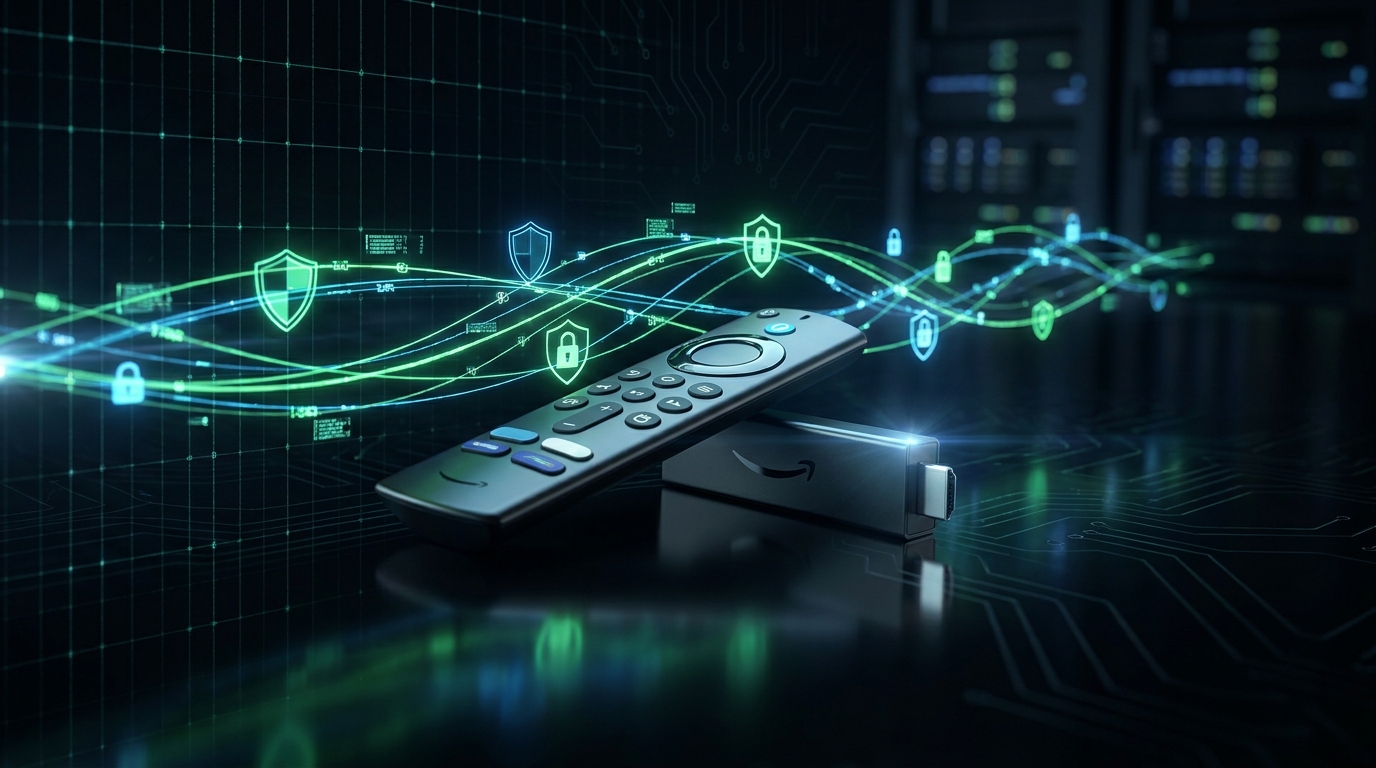
In an increasingly digital world where content is king, your Amazon Fire TV Stick has become a gateway to endless entertainment. However, geographical restrictions, privacy concerns, and ISP throttling can often hinder your streaming experience. This is where a Virtual Private Network (VPN) becomes indispensable. Finding the best VPN for Fire TV Stick in 2025 is crucial for anyone looking to unlock global content, protect their online privacy, and ensure buffer-free streaming. A reliable VPN not only encrypts your internet traffic but also masks your IP address, making it appear as if you're browsing from a different location. This guide from the IP Address Details Security Team will walk you through everything you need to know to choose, install, and optimize a VPN for your Fire TV Stick, transforming your streaming experience.
Why You Need a VPN for Your Fire TV Stick
The benefits of using a VPN on your Fire TV Stick extend far beyond simply accessing geo-restricted content. While that's a primary driver for many, a VPN offers a robust layer of security and privacy that is increasingly important in today's online landscape.
Bypass Geo-Restrictions and Access Global Content
Streaming services like Netflix, Hulu, BBC iPlayer, and Disney+ often offer different content libraries based on your geographical location. A VPN allows you to virtually change your location by connecting to a server in another country. This tricks the streaming service into thinking you are in that region, granting you access to its specific content library. For expats, travelers, or simply those seeking a wider variety of shows and movies, this is a game-changer.
Enhance Online Privacy and Security
When you stream content, your internet service provider (ISP) can see your online activity. This data can be collected, analyzed, and even sold to third parties. A VPN encrypts your internet connection, creating a secure tunnel for your data. This means your ISP, government agencies, and potential snoopers cannot see what you are doing online, protecting your browsing habits, personal information, and streaming choices. For more on protecting your digital footprint, consider using our Privacy Leak Check tool.
Prevent ISP Throttling
Some ISPs intentionally slow down (throttle) your internet speed when they detect high-bandwidth activities like streaming. This can lead to buffering, lower video quality, and a frustrating viewing experience. By encrypting your traffic, a VPN makes it difficult for your ISP to identify and throttle your streaming activities, helping you maintain consistent speeds and enjoy uninterrupted high-definition content.
Avoid Malicious Attacks
While less common directly on a Fire TV Stick, any device connected to the internet is susceptible to various cyber threats. A VPN adds a layer of security by encrypting your data, making it harder for malicious actors to intercept your information, especially when connected to public Wi-Fi networks.
Key Features to Look for in the Best VPN for Fire TV Stick in 2025
Choosing the right VPN for your Fire TV Stick involves evaluating several critical features. Not all VPNs are created equal, and what works for a laptop might not be ideal for a streaming device with limited input options.
- Native Fire TV Stick App: This is paramount. A dedicated app available on the Amazon Appstore makes installation and usage incredibly simple, allowing you to connect and disconnect with your Fire TV remote.
- Fast Speeds: Streaming in HD or 4K requires significant bandwidth. A good VPN should offer fast, stable connections across its server network to prevent buffering. You can test your current speed with our Speed Test tool.
- Strong Security and Encryption: Look for industry-standard AES-256 encryption, a variety of secure protocols (OpenVPN, WireGuard, IKEv2), and features like a kill switch to protect your data if the VPN connection drops. The National Institute of Standards and Technology (NIST) often provides guidelines for cryptographic standards.
- No-Logs Policy: A strict no-logs policy means the VPN provider does not collect or store any data about your online activities. This is fundamental for privacy. Independent audits can verify these claims. The Electronic Frontier Foundation (EFF) consistently advocates for strong privacy policies.
- Extensive Server Network: A large number of servers in diverse locations provides more options for bypassing geo-restrictions and helps distribute traffic, leading to better speeds and reliability.
- Ease of Use: A user-friendly interface optimized for the Fire TV remote is essential. Simple navigation and quick connection options enhance the user experience.
- Customer Support: 24/7 live chat support is invaluable for troubleshooting any issues, especially during installation or when accessing specific content.
- Simultaneous Connections: If you plan to use the VPN on other devices besides your Fire TV Stick, check how many simultaneous connections the subscription allows.
Top VPNs for Fire TV Stick in 2025
After extensive testing and evaluation based on the criteria above, the IP Address Details Security Team has identified the following VPNs as the leading choices for your Fire TV Stick in 2025. Each offers a compelling package of features, performance, and reliability.
1. ExpressVPN: The Gold Standard for Streaming
ExpressVPN consistently ranks at the top for its exceptional speed, robust security, and unparalleled ability to unblock streaming services. It's often considered the premium choice for Fire TV Stick users.
- Key Strengths: Blazing-fast speeds optimized for 4K streaming, vast server network in 105 countries, industry-leading AES-256 encryption, audited no-logs policy, dedicated Fire TV Stick app that's incredibly easy to use. Their Lightway protocol ensures minimal speed loss.
- Why it's great for Fire TV Stick: Seamless integration with the Fire TV interface, reliable access to geo-restricted content, and consistent performance make it ideal for binge-watching without interruptions.
- Considerations: It's a premium service, and its pricing reflects that.
- Learn more and get started: Visit ExpressVPN's website
2. NordVPN: Feature-Rich and Secure
NordVPN is a powerhouse known for its strong security features, extensive server network, and competitive pricing. It offers a fantastic balance of performance and protection for your Fire TV Stick.
- Key Strengths: Over 6000 servers in 61 countries, strong security features including Double VPN and Threat Protection, audited no-logs policy, and a user-friendly Fire TV Stick app. Their NordLynx protocol (based on WireGuard) delivers impressive speeds. NordVPN's no-logs policy has been independently audited multiple times.
- Why it's great for Fire TV Stick: Excellent for unblocking content, provides robust security for privacy-conscious users, and offers a smooth streaming experience.
- Considerations: While generally fast, some distant servers might experience slight speed drops.
- Learn more and get started: Visit NordVPN's website
3. Surfshark: Budget-Friendly with Unlimited Connections
Surfshark stands out for its affordability and the unique benefit of unlimited simultaneous connections, making it an excellent choice for households with multiple devices, including several Fire TV Sticks.
- Key Strengths: Unlimited simultaneous connections, competitive pricing, strong security features (CleanWeb ad-blocker, MultiHop), audited no-logs policy, and a dedicated Fire TV Stick app. Supports WireGuard for fast connections.
- Why it's great for Fire TV Stick: Perfect for families or users with many devices, offers reliable unblocking capabilities, and provides great value for money.
- Considerations: While fast, peak times on some servers might not match ExpressVPN's top speeds.
- Learn more and get started: Visit Surfshark's website
4. CyberGhost: User-Friendly and Optimized for Streaming
CyberGhost is a popular choice, particularly for beginners, thanks to its intuitive interface and servers specifically optimized for streaming services.
- Key Strengths: Massive server network (over 10,000 servers in 100 countries), dedicated streaming-optimized servers, strong encryption, and a 45-day money-back guarantee. Easy-to-use Fire TV app.
- Why it's great for Fire TV Stick: Its optimized servers make unblocking streaming content straightforward and reliable.
- Considerations: Speeds can be inconsistent on non-optimized servers compared to top-tier providers.
5. Private Internet Access (PIA): Security and Customization
PIA is known for its strong commitment to privacy and extensive customization options, appealing to users who want fine-grained control over their VPN connection.
- Key Strengths: Robust security features, including advanced kill switch and MACE ad blocker, audited no-logs policy, and a large server network. Offers a good Fire TV app.
- Why it's great for Fire TV Stick: Provides strong security and the ability to customize settings for optimal performance.
- Considerations: Its advanced settings might be overwhelming for complete beginners.
VPN Comparison Table for Fire TV Stick (2025)
| Feature | ExpressVPN | NordVPN | Surfshark | CyberGhost | PIA |
|---|---|---|---|---|---|
| Native Fire TV App | ✅ | ✅ | ✅ | ✅ | ✅ |
| Max Speed for 4K | Excellent | Very Good | Good | Good | Very Good |
| Server Countries | 105 | 61 | 100 | 100 | 91 |
| No-Logs Policy | Audited | Audited | Audited | Audited | Audited |
| Simultaneous Connections | 8 | 10 | Unlimited | 7 | Unlimited |
| 24/7 Live Chat | ✅ | ✅ | ✅ | ✅ | ✅ |
| Money-Back Guarantee | 30 Days | 30 Days | 30 Days | 45 Days | 30 Days |
How to Install a VPN on Your Fire TV Stick
Installing a VPN on your Fire TV Stick is generally a straightforward process, especially if the VPN has a native app. Here's a step-by-step guide:
Method 1: Using a Native Fire TV App (Recommended)
- Subscribe to a VPN: Choose one of the recommended VPNs above (e.g., ExpressVPN, NordVPN, Surfshark) and sign up for a subscription on their official website using a computer or mobile device.
- Go to Your Fire TV Stick Home Screen: Navigate to the home screen of your Fire TV Stick.
- Search for the VPN App: Use the search function (magnifying glass icon) and type in the name of your chosen VPN (e.g., "ExpressVPN").
- Download and Install: Select the VPN app from the search results and click 'Download' or 'Get'.
- Open and Log In: Once installed, open the VPN app. You'll be prompted to log in using the credentials you created during your subscription.
- Connect to a Server: Choose a server location (e.g., USA for Netflix US, UK for BBC iPlayer) and click the 'Connect' button.
- Confirm Connection: The app will indicate when you are connected. You may also see a VPN icon (often a key or shield) in the top menu bar of your Fire TV Stick.
Method 2: Sideloading the Android APK (If No Native App)
This method is more complex and only recommended if your chosen VPN doesn't have a native Fire TV app. It involves installing the Android APK file manually.
- Enable Apps from Unknown Sources: On your Fire TV Stick, go to Settings > My Fire TV > Developer Options and turn on 'Apps from Unknown Sources' and 'ADB debugging'.
- Install Downloader App: Search for and install the 'Downloader' app from the Amazon Appstore.
- Download VPN APK: Open Downloader, enter the URL for your VPN's Android APK file (usually found on their website or a reputable APK mirror), and download it.
- Install VPN APK: Once downloaded, Downloader will prompt you to install the APK. Follow the on-screen instructions.
- Open and Log In: Find the VPN app in your apps list, open it, and log in.
Warning: Sideloading carries risks. Ensure you download APKs only from trusted sources to avoid malware. Also, sideloaded apps may not be optimized for the Fire TV remote.
Method 3: Installing VPN on Your Router
This advanced method protects all devices connected to your home network, including your Fire TV Stick, without needing to install an app on each device. However, it requires a VPN-compatible router and technical expertise.
- Check Router Compatibility: Ensure your router supports VPN client functionality (e.g., running custom firmware like DD-WRT or OpenWRT).
- Configure VPN on Router: Follow your VPN provider's specific instructions to configure the VPN settings directly on your router. This usually involves entering server details, credentials, and protocol settings.
- Connect Fire TV Stick: Once the router is configured, simply connect your Fire TV Stick to your home Wi-Fi network as usual. All traffic from the Fire TV Stick will now be routed through the VPN.
Advanced VPN Tips for Fire TV Stick Users
To get the most out of your VPN on your Fire TV Stick, consider these advanced tips:
- Split Tunneling: Some VPNs offer split tunneling, which allows you to choose which apps use the VPN connection and which bypass it. This is useful if you want certain Fire TV apps to access local content while others use the VPN for geo-unblocking.
- Dedicated IP Address: If you frequently encounter CAPTCHAs or blacklisting issues with shared VPN IP addresses, some providers offer dedicated IP addresses for an additional fee. This can make your VPN usage appear more like regular internet traffic.
- Kill Switch: Ensure your VPN's kill switch feature is enabled. This automatically disconnects your internet if the VPN connection drops, preventing your real IP address from being exposed.
- Regular Server Switching: If you experience slow speeds or difficulty accessing a particular service, try connecting to a different server in the same country. Servers can become congested, and switching can improve performance.
- Clear Cache: If a streaming app isn't recognizing your new VPN location, try clearing its cache and data on your Fire TV Stick (Settings > Applications > Manage Installed Applications > [App Name] > Clear Cache/Clear Data).
Potential Issues and Troubleshooting
Even with the best VPN for Fire TV Stick in 2025, you might encounter occasional issues. Here are common problems and their solutions:
- VPN Not Connecting:
- Try restarting your Fire TV Stick, router, and VPN app.
- Switch to a different VPN server.
- Check your internet connection (you can use our IP Lookup tool to see if your IP is even changing).
- Ensure your VPN subscription is active.
- Temporarily disable any other network security software.
- Slow Speeds/Buffering:
- Connect to a server closer to your physical location.
- Try a different VPN protocol within your VPN app's settings (e.g., switch from OpenVPN to WireGuard/Lightway).
- Check your base internet speed without the VPN using our Speed Test.
- Ensure no other devices are heavily using your bandwidth.
- Streaming Service Still Blocked:
- Clear the cache and data for the streaming app on your Fire TV Stick.
- Try connecting to a different VPN server in the target country.
- Restart your Fire TV Stick.
- Contact your VPN's customer support, as they may have specific servers optimized for certain streaming services.
- Ensure your VPN's DNS settings are configured correctly to prevent DNS leaks.
- VPN App Crashing:
- Ensure your Fire TV Stick's operating system is up to date.
- Reinstall the VPN app.
- Free up storage space on your Fire TV Stick.
The Future of Streaming and VPNs
The landscape of online streaming and digital privacy is constantly evolving. As streaming services continue to expand globally, so too do their efforts to enforce geo-restrictions and protect licensing agreements. Simultaneously, the demand for internet privacy and freedom of access continues to grow, fueled by increased awareness of data collection and surveillance. The Federal Trade Commission (FTC), for example, is actively pursuing actions against companies that misuse consumer data, highlighting the importance of personal data protection. VPNs will remain at the forefront of this dynamic, adapting with new technologies and features to ensure users can maintain their privacy and access the content they desire. Expect to see further advancements in VPN protocols, AI-driven server optimization, and enhanced obfuscation techniques designed to bypass even the most sophisticated VPN blocks.
Our Methodology for Testing VPNs
The IP Address Details Security Team employs a rigorous methodology to evaluate and recommend the best VPNs for Fire TV Stick. Our testing process includes:
- Speed Tests: We conduct multiple speed tests across various server locations (local and international) both with and without the VPN connected, using our Speed Test tool, to assess performance for 4K streaming.
- Streaming Unblocking: We test each VPN's ability to consistently unblock popular streaming services like Netflix, Hulu, BBC iPlayer, Disney+, and Amazon Prime Video from different geographical regions.
- Security Audits: We review independent security audit reports (where available) for no-logs policies, encryption standards, and overall infrastructure security.
- App Usability: We thoroughly evaluate the native Fire TV Stick app for ease of installation, user interface, remote compatibility, and overall user experience.
- Feature Verification: We confirm the presence and functionality of critical features such as kill switches, split tunneling, and various VPN protocols.
- Customer Support: We interact with customer support teams through live chat and email to gauge responsiveness, knowledge, and helpfulness.
- Privacy Policy Analysis: We meticulously examine each VPN provider's privacy policy to ensure a genuine commitment to user privacy and a strict no-logs stance.
FAQ
Can I use a free VPN for my Fire TV Stick?
While free VPNs exist, they are generally not recommended for Fire TV Stick. Free VPNs often come with significant limitations, including slow speeds, data caps, limited server options, and weak security. Many also log your activity and display intrusive ads, which defeats the purpose of using a VPN for privacy. For a reliable and secure streaming experience, investing in a reputable paid VPN is always the better choice.
Is it legal to use a VPN with a Fire TV Stick?
In most countries, using a VPN is perfectly legal. However, using a VPN to engage in illegal activities remains illegal. While using a VPN to access geo-restricted content might violate the terms of service of streaming platforms, it is not illegal in itself. Always check the laws of your specific country regarding VPN usage. For instance, some countries like China or Russia have strict regulations on VPNs. For more information on digital rights, resources like Harvard Law School's Berkman Klein Center offer insights into digital rights management.
Will a VPN slow down my internet speed on Fire TV Stick?
A VPN inherently adds a layer of encryption and routes your traffic through an additional server, which can introduce some speed reduction. However, the best VPNs for Fire TV Stick minimize this impact through optimized servers, advanced protocols (like Lightway or NordLynx), and a robust infrastructure. For 4K streaming, you'll need a fast base internet connection and a high-performance VPN to maintain smooth playback. You can monitor your speed using our Speed Test tool.
How do I know if my VPN is working on my Fire TV Stick?
After connecting your VPN, you should see a key or shield icon in the top menu bar of your Fire TV Stick, indicating an active VPN connection. To be absolutely sure, you can visit a website like www.ipaddressdetails.com/pages/ip-lookup.html on your Fire TV Stick's browser (e.g., Silk Browser or Firefox) to check if your displayed IP address matches the VPN server's location and not your real IP.
Can I use a VPN to watch live sports on my Fire TV Stick?
Yes, many users utilize VPNs to bypass blackouts and geo-restrictions on live sports streams. By connecting to a server in a region where the game is available, you can often access live sports content that would otherwise be unavailable in your location. Ensure your chosen VPN has servers in the necessary regions and offers fast, stable connections for uninterrupted viewing.
What if my VPN app isn't showing up in the Fire TV Stick search results?
If your VPN app isn't appearing in the Amazon Appstore search, it might not have a native app available in your region, or it might be temporarily unavailable. In such cases, you would need to resort to sideloading the Android APK file as described in Method 2 of our installation guide. Always double-check your VPN provider's official website for specific Fire TV Stick installation instructions.
Conclusion
Choosing the best VPN for Fire TV Stick in 2025 is a powerful step towards unlocking a world of unrestricted content and fortifying your digital privacy. Whether you're an expat longing for local content, a streaming enthusiast seeking diverse libraries, or a privacy-conscious user protecting your data from prying eyes, a top-tier VPN is an essential tool. Providers like ExpressVPN, NordVPN, and Surfshark lead the pack, offering a blend of speed, security, and user-friendliness perfectly suited for your Fire TV Stick. By following our guide on selection, installation, and troubleshooting, you can transform your streaming experience into one that is truly global, secure, and buffer-free. The IP Address Details Security Team encourages you to take control of your online freedom and enjoy the full potential of your Fire TV Stick.
Author: IP Address Details Security Team
🛡️ Protect Your Privacy Today
Get a VPN and browse securely with up to 82% off.
Our Top Recommended VPNs
Tested & VerifiedWe independently test every VPN. These are the best options for privacy, speed, and unblocking content — especially in restricted regions like UAE and Saudi Arabia.
* Affiliate disclosure: We may earn a commission if you purchase through our links, at no extra cost to you. We only recommend VPNs we trust.